Engineering
HTTP Security Headers: What Each One Actually Does
Six headers that block entire classes of attack, in priority order — what each one does, what breaks if you get it wrong, and the two you should stop sending.
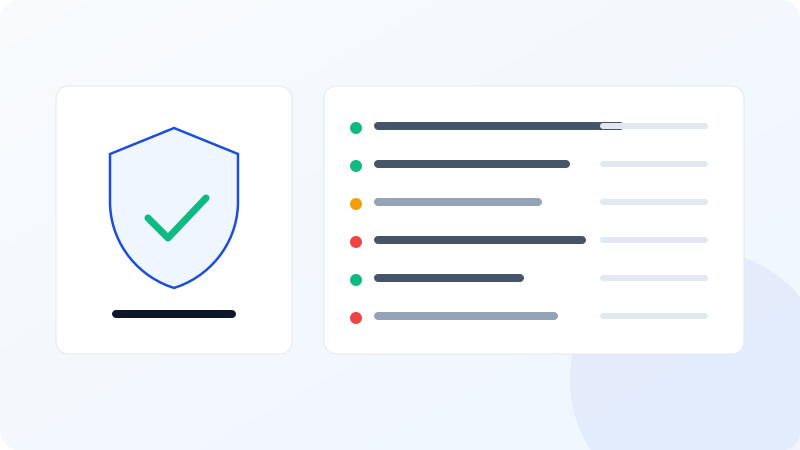
Security headers are the cheapest hardening available to a website. Each one is a line of server configuration, none of them cost performance, and together they block several entire categories of attack.
Most sites send none of them.
Here is what each does, in the order worth implementing them, and the two headers you should actively remove.
Start here: the three that cannot break anything
These are safe to add to almost any site today, in a single deployment.
X-Content-Type-Options: nosniff
X-Content-Type-Options: nosniffOne value, no configuration, no downside.
Without it, browsers "sniff" content and may decide a file's real type differs from the declared one. That is the mechanism behind attacks where a user-uploaded file — declared as an image — gets executed as JavaScript because its contents look like a script.
There is no legitimate reason not to send this header. If your site does not, that is the first thing to fix.
X-Frame-Options
X-Frame-Options: SAMEORIGINStops your pages being loaded inside an iframe on someone else's site. That is how clickjacking works: an attacker's page loads your page in an invisible frame positioned under a decoy button, and the victim's click lands on your interface instead.
SAMEORIGIN allows your own site to frame itself, which is what you usually want. DENY blocks all framing.
The modern replacement is frame-ancestors in CSP, which is more flexible. Sending both costs nothing and covers older browsers.
Referrer-Policy
Referrer-Policy: strict-origin-when-cross-originControls how much of the current URL is sent when someone clicks a link to another site.
Without it, the full URL leaks — including anything sitting in a query string. Password reset tokens, session identifiers, internal search terms and customer IDs have all leaked this way, to every third party the visitor clicks through to.
strict-origin-when-cross-origin sends the full URL within your own site, only the origin to other HTTPS sites, and nothing when downgrading to HTTP. It is now the browser default, but sending it explicitly covers older clients and documents the intent.
Next: HSTS
Strict-Transport-Security: max-age=31536000; includeSubDomainsTells the browser to connect to this domain over HTTPS only, for the stated period, without even attempting HTTP first.
Two benefits. The security one is that it closes the window where an initial HTTP request could be intercepted and downgraded before your redirect fires. The performance one is often overlooked: it eliminates the http→https redirect entirely for returning visitors, removing a full round trip from every page load.
Deploy it carefully. HSTS is a commitment browsers enforce and you cannot quickly withdraw. If you set a one-year max-age with includeSubDomains and then discover an internal subdomain that only serves HTTP, that subdomain is unreachable for everyone who visited your site — for up to a year.
The safe path:
- Confirm every subdomain serves HTTPS correctly.
- Deploy with
max-age=300for a few days. - Raise to
max-age=86400for a week. - Then
max-age=31536000; includeSubDomains.
The preload directive goes further, hard-coding your domain into browsers' built-in HSTS lists. Removal takes months. Only add it once you are certain.
The big one: Content-Security-Policy
CSP declares which sources the page may load scripts, styles, images, fonts and connections from. When it is right, it shuts down most cross-site scripting even when an injection succeeds — the injected script has no permitted origin, so the browser refuses to run it.
It is also the only header on this list that can break your site, which is why so few sites have one.
Content-Security-Policy: default-src 'self'; script-src 'self'; style-src 'self' 'unsafe-inline'; img-src 'self' data: https:; frame-ancestors 'self'; base-uri 'self'; form-action 'self'The unsafe-inline problem. Most sites have inline <script> blocks — analytics snippets, tag managers, small bits of page-specific behaviour. A strict CSP blocks all of them. Adding 'unsafe-inline' to script-src makes the policy load without errors and simultaneously removes most of its value, because inline scripts are exactly what CSP exists to block.
The real fix is nonces or hashes: generate a random nonce per request, put it on your legitimate inline scripts, and reference it in the policy. That requires server-side rendering of the nonce, which is why it is more work than a config line.
Deploy in report-only first:
Content-Security-Policy-Report-Only: default-src 'self'; report-uri /csp-reportNothing is blocked; violations are reported. Run it for two to four weeks, review what fires, whitelist what is legitimate, then switch the header name to enforce.
Four directives that are cheap and worth having even in a loose policy: frame-ancestors (clickjacking), base-uri (stops injected <base> tags redirecting all relative URLs), form-action (stops injected forms posting elsewhere), and object-src 'none' (kills Flash-era plugin vectors).
Permissions-Policy
Permissions-Policy: geolocation=(), microphone=(), camera=(), payment=()Declares which browser features the page may use. Denying what you do not use limits what a compromised third-party script can reach. If your site never asks for a camera, saying so costs nothing and removes a capability from every script on the page — including the ones you did not audit.
Two headers to remove
X-XSS-Protection is obsolete. It enabled a browser-side XSS filter that was removed from Chrome and Edge because the filter itself introduced vulnerabilities. Sending it does nothing useful, and its presence usually signals a configuration copied from a tutorial written a decade ago.
Server and X-Powered-By with version numbers advertise exactly which software you run. When a vulnerability is announced, mass scans look for precisely this. Suppress them:
Header unset X-Powered-By
Header unset Server
ServerTokens Prod
Apache / LiteSpeed configuration
This covers most shared hosting, Hostinger included. In .htaccess:
<IfModule mod_headers.c>
  Header always set X-Content-Type-Options "nosniff"
  Header always set X-Frame-Options "SAMEORIGIN"
  Header always set Referrer-Policy "strict-origin-when-cross-origin"
  Header always set Permissions-Policy "geolocation=(), microphone=(), camera=()"
  Header always set Strict-Transport-Security "max-age=31536000; includeSubDomains" env=HTTPS
  Header unset X-Powered-By
</IfModule>
always matters — without it the header is omitted from error responses, which is exactly when you want it.
On Nginx the equivalent is add_header … always; inside the server block.
Verifying
You can check any site's live response headers with our free security headers scanner. It reads the actual headers your server returned, grades what is present and flags weak values with the specific reason — a CSP with unsafe-inline reports differently from a CSP without it.
Priority order
X-Content-Type-Options— one line, no riskX-Frame-Options— one line, no riskReferrer-Policy— one line, no risk- Remove
X-XSS-Protectionand version headers Permissions-Policy— deny what you do not use- HSTS — staged rollout
- CSP — report-only, then enforce
Steps 1 to 5 are a single deployment and an afternoon. Steps 6 and 7 need care. Doing only the first five still puts you ahead of most of the web.
One honest note: none of this is a ranking factor. No search engine grades your CSP. The reason to do it is that a compromised site loses rankings very quickly once Google flags it as hacked — and by then you are fixing something much more expensive than a config file.
Open tool Security Headers See which HTTP security headers your site sends — and which protections you are missing.